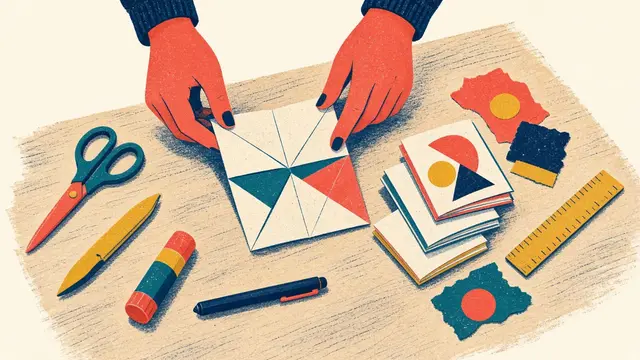
You can download free printable zine templates for US Letter and A4 from the Quillfold Studio reader bonuses page. The pack includes a one-sheet 8-page mini zine template (with a line-free master), an 8-panel mini comic, half-sheet and quarter-sheet booklet masters, accordion strips, a thumbnail planner, a lettering sheet and actual-size hole guides. Print them at Actual size (100%), not Fit to page.
In this guide
Most free zine templates online are images that print at whatever size your printer feels like, or pages from books that need to be enlarged on a copier first. These are different: every page in the Quillfold Studio template pack is drawn at full size for US Letter or A4, so you print it at 100% and it is ready to fold.
Download the template pack free. No account, no email address.
What is in the pack
| Template | Makes | Notes |
|---|---|---|
| One-sheet mini zine, guide | An 8-page mini zine | Every panel labelled, page heads marked, one coral cut line |
| One-sheet mini zine, blank master | The same zine | Only tiny edge ticks, so no lines show on your copies |
| 8-panel mini comic | A comic, one beat per page | Panel frames and caption boxes on the mini zine fold |
| Half-sheet booklet master | Two pages per side for a booklet | 5.5 × 8.5 in or A5 pages, with safe area and gutter |
| Quarter-sheet booklet master | Four small pages per side | 4.25 × 5.5 in or A6 pocket pages |
| Accordion strips | An 8-panel concertina | Valley and mountain folds marked |
| Thumbnail planner | Plans for 8, 12 and 16 pages | Cover alone, then spreads, then back cover |
| Lettering practice sheet | Hand-lettered titles | Guideline rows and a block-letter grid |
| Hole guides, actual size | Sewn bindings | 3-hole and 5-hole pamphlet stitch and Japanese stab, for four spine lengths |
| Fold guide | Reference | The eight folds of the mini zine, illustrated |
How to print the templates correctly
- Download the edition for your paper: US Letter (North America) or A4 (most other countries).
- In the print dialog, choose Actual size or Scale: 100%. Turn off “Fit to page” and “Shrink oversized pages”.
- Use plain copy paper, 20–24 lb bond (75–90 gsm). Card is too stiff for the mini zine.
- Let the printer rotate the landscape pages automatically.
- Check the scale bar at the bottom of the page with a ruler: 2 inches on the Letter edition, 50 mm on the A4 edition.
Most home printers leave a blank strip of about 0.2 inch (5 mm) around the edge. That is expected: the fold lines may stop just short of the edge, and the dotted safe areas keep your content clear of it.
Using the mini zine template
The guide template shows where each page goes, with the top row upside down so it comes out the right way after folding. Use it in one of two ways:
- Draw straight onto it, then fold and cut it into a one-off zine.
- Use it as a map under a blank sheet, or draw on the blank master, then photocopy your finished master as many times as you like.
The mini zine tutorial shows all eight folds with diagrams.
Using the booklet masters
The half-sheet and quarter-sheet masters give you correctly sized page frames with a safe area and gutter. Draw or paste one page in each frame, then arrange your finished sheets using the page order from the free Imposition Cheat Sheets: for an 8-page booklet the outer sheet carries 8 | 1 on the front and 2 | 7 on the back. The imposition guide explains why.
Using the hole guides
Cut out the strip that matches your spine length, lay it in the fold for a pamphlet stitch or along the spine edge for stab binding, and pierce through each mark with an awl. The guides cover 8.5-inch and 5.5-inch spines on the Letter edition and 210 mm and 148 mm (A5 and A6) on the A4 edition. Sewing steps are in the pamphlet stitch tutorial.
What you may do with them
These templates accompany The Complete Zine Making Handbook. You may print and photocopy them for your own zines and for non-commercial classes, libraries and workshops, and anything you make with them is yours. Please do not sell or re-post the files; share the link to the bonuses page instead, so people always get the current version.
More free printables
The same page also has the Imposition Cheat Sheets, the 96-card Zine Prompt Deck, a Workshop Lesson Plan for 60 or 90 minutes, and an Edition Checklist, Fair Packing List and Cost Sheet, each in Letter and A4. For 25 complete projects built on these templates, from the 16-page one-sheet zine to Japanese stab binding, see The Complete Zine Making Handbook.
Frequently asked questions
Are the zine templates free?
Yes. The templates are free to download with no account or email address required. You may print and photocopy them for your own zines and for non-commercial classes, libraries and workshops.
What size should I print a zine template?
Print at Actual size or 100% on the paper the template was made for, US Letter or A4. Avoid Fit to page, which shrinks the page by a few per cent. Each template has a scale bar you can check with a ruler.
Can I use these templates in Canva or another app?
The templates are print-ready PDFs. You can import a page into most design apps as a guide layer under your artwork, then hide it before exporting. For digital layouts, the imposition cheat sheets show where each page goes.
Is there an A4 version of the mini zine template?
Yes. Every template in the pack comes in both a US Letter edition and an A4 edition, drawn for that paper size rather than scaled from the other.
Can I sell zines I make with these templates?
Yes. The templates are tools; the zines you make with them are yours to sell, trade or give away. What you may not do is sell or re-post the template files themselves.